AlbumVault vs LockMyPix
The short version
LockMyPix encrypts every imported file with AES CTR 256, runs on iPhone and Android, and with Premium backs up to your own Google Drive or iCloud. It unlocks with a PIN, face, fingerprint, password or pattern, and offers optional email recovery.
AlbumVault Each vault has its own 12-word recovery phrase (BIP-39), shown once. We never see it and cannot reset it. If you forget your pattern, the phrase gets you back in.
On this page
Side by side
LockMyPix details checked on 24 October 2026 from the sources linked in each row. Apps change; check the source before you decide.
LockMyPix is one of the closer matches to AlbumVault. It runs on iPhone and Android, encrypts each file on the phone, and backs up to a cloud account you already own rather than to the developer’s servers. The overlaps and the differences are set out below, each with its source. Most of the differences sit in unlocking, recovery, the free plan and the extras.
What LockMyPix does well
As seen on 24 October 2026, LockMyPix was rated 4.5 from 332,000 reviews on Google Play, with more than 10 million downloads, and 4.7 from about 2,600 ratings in the US App Store. It runs on Android, iPhone (iOS 16 or later), iPad (iPadOS 16 or later), Mac with M1 or later (macOS 13 or later) and Apple Vision.
- Encryption it names. LockMyPix says every photo, video or document you import is encrypted with AES CTR 256, in real time.
- Backup to your own cloud. Backups go to your own Google Drive on Android or iCloud on iOS “instead unkown servers,” in the vendor’s words. Transfers use TLS, and the files are encrypted with AES CTR 256. Restoring needs the same password.
- Switching platforms. To move between Android and iOS, you make a backup file and restore it on the other phone. On Android, you can also keep the vault on an SD card.
- Many ways in. PIN, face, fingerprint, password or pattern. Face and iris unlock on supported Android phones is a Premium feature.
- No backdoor. Email recovery is optional. Without it, a forgotten password cannot be reset.
- Premium extras. A Fake Vault with a separate code, an Intruder Selfie with the date and time, and a Disguise Mode that makes the app look like another app, such as a calculator. A disguised login page is Android only.
- Play Pass. On Android, LockMyPix is included in Google Play Pass.
Where the two apps overlap
Several basics line up. Here is each one, with LockMyPix’s published fact first:
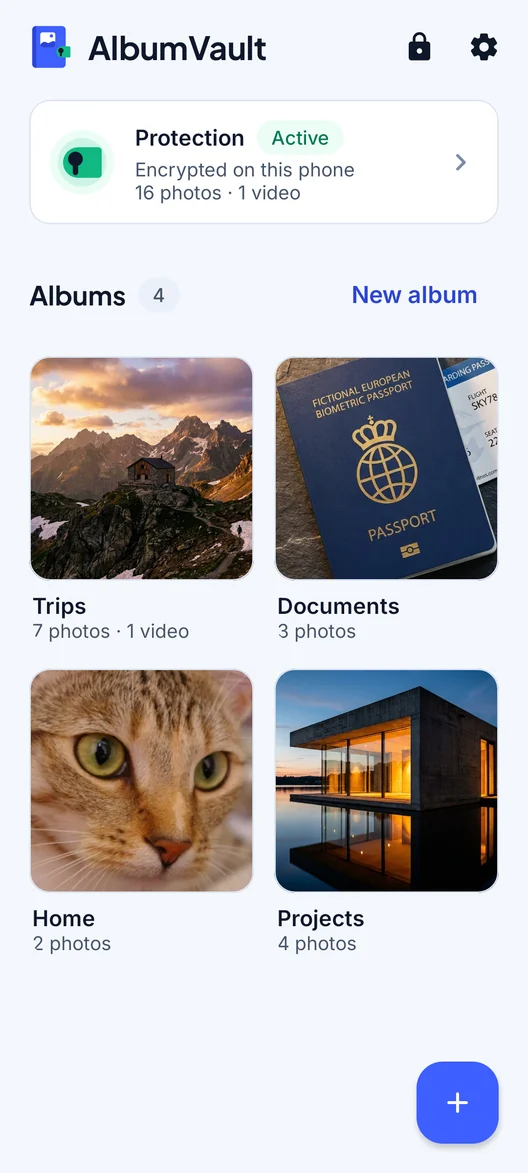
- Per-file encryption. LockMyPix: AES CTR 256 for every imported file. AlbumVault: Encrypted on this phone. AES-256-GCM in 1 MB pieces, each one checked.
- Backup to your own account. LockMyPix: your Google Drive or iCloud, encrypted. AlbumVault: Encrypted backup file that only your recovery phrase opens.
- Moving between iPhone and Android. LockMyPix: a backup file. AlbumVault: iPhone and Android, one vault format.
- Recovery without a backdoor. LockMyPix: optional recovery, and no backdoor without it. AlbumVault: 12-word recovery phrase.
Where they differ
Unlocking
LockMyPix lets you log in with a PIN, face, fingerprint, password or pattern. If you prefer a regular password or face unlock as your main way in, it gives you more choice.
AlbumVault Unlock by drawing a pattern on a 5×5 grid of dots, using at least 6 dots. Prefer numbers? A PIN of 6 to 12 digits works too. Face ID or fingerprint can open at most one vault. Your other vaults always need their pattern.
Recovery
LockMyPix offers optional password recovery by email; if you don’t turn it on and forget your password, there is no way back in.
AlbumVault Each vault has its own 12-word recovery phrase (BIP-39), shown once. We never see it and cannot reset it. If you forget your pattern, the phrase gets you back in.
Cipher details
LockMyPix names AES in CTR mode with 256-bit keys. AlbumVault publishes these details: Files are encrypted in 1 MB pieces with AES-256-GCM; each file gets its own key, and every piece is checked so a changed or reordered piece is refused. Your pattern or PIN is stretched with PBKDF2-HMAC-SHA512 (600,000 rounds) and combined with a key held in your phone’s Secure Enclave (iPhone) or StrongBox/TEE (Android), so it can only be tried on your phone.
Decoys and duress
LockMyPix Premium offers a Fake Vault that opens with a separate code.
AlbumVault Every pattern or PIN leads to exactly one vault, and a vault can have more than one way in. A pattern that belongs to no vault opens nothing. Draw your emergency pattern and AlbumVault opens your chosen vault and permanently removes access to every other vault on this phone, with no prompt. It needs a second vault, which is part of Pro.
AlbumVault A guest vault (Pro) is a second pattern that opens a separate vault with only what you put there.
Intruder photos
LockMyPix’s Intruder Detection takes a selfie of people who try to get in, with the date and time.
AlbumVault Break-in photos (Pro): after 3 wrong tries AlbumVault can take a front-camera photo, encrypted so only your vault can open it. The phone’s camera indicator still lights up when the photo is taken, so the person may notice.
Disguise
LockMyPix Premium can make the app look like another app, such as a calculator; the disguised login page is Android only.
AlbumVault Icon disguise (Pro): make the app look like a calculator. A code you choose on the calculator brings up the unlock screen; it is a gate, not your key, so a vault still needs its pattern.
Ads and data
LockMyPix’s Google Play listing says it contains ads. Its US App Store privacy label lists device ID as data used to track you. Its Google Play Data safety section says it may share device or other IDs with third parties, that data is encrypted in transit, and that you can request deletion.
AlbumVault The apps contain no analytics, ad or tracking SDKs. Purchases use Apple’s or Google’s own in-app purchase.
Prices and ratings
As seen on 24 October 2026 in the US stores:
- App Store: free with in-app purchases. Listed options run from $3.99 to $29.99, including LockMyPix Premium 2 months at $12.49, Premium protection 6 months at $20.49 and LockMyPix Premium 1 year at $29.99. The description lists subscription periods of 1 month, 6 months or 1 year. Age rating 16+. Rating 4.7 from about 2,600 ratings.
- Google Play: contains ads and in-app purchases, and is available with Google Play Pass. The web listing does not show prices. Rating 4.5 from 332,000 reviews.
LockMyPix’s docs list cloud backup as a Premium feature.
AlbumVault Free: 1 vault, up to 100 photos and 10 videos, encrypted backup file included. Pro: as many vaults as you want, including the guest vault, with no limit on photos and videos.
Which to choose
Pick LockMyPix if:
- You want a regular password, fingerprint or face unlock as your main way in.
- You want an email recovery option as a safety net.
- You want to keep your vault on an SD card on Android.
- You already pay for Google Play Pass, or want the app on a Mac too.
Pick AlbumVault if:
- You want several vaults (a Pro feature), each opened by its own pattern, with an emergency pattern.
- You want encrypted backup without a paid plan.
- You want a recovery phrase rather than an email address as your way back in.
- You would rather have no ad or analytics code from other companies in the app.
Limits to know on the AlbumVault side
AlbumVault does not hide that some private data exists: your phone’s storage settings, and a forensic examiner, can still show that. Deleting is not shredding: a lab that images the phone may recover deleted bytes. Use AlbumVault to keep people out of your photos, not to beat a forensics lab.
The hardware key cannot move to a new phone, so on a new phone, or a phone restored from a backup, a vault opens only with its recovery phrase. Keep the phrase safe before you switch phones.
AlbumVault cannot protect against malware or a jailbroken or rooted phone running code while the vault is open, against what is on screen or shared out once decrypted, or against someone deleting files they can reach (they can destroy data, not read it).
Questions
Is LockMyPix encrypted?
LockMyPix says every photo, video or document you import is encrypted with AES CTR 256, and backups are encrypted the same way. Files are encrypted in 1 MB pieces with AES-256-GCM; each file gets its own key, and every piece is checked so a changed or reordered piece is refused.
Can I recover a forgotten LockMyPix password?
Only if you turned on the optional password recovery. LockMyPix says that without a recovery option you cannot get back in, and there is no backdoor. Each vault has its own 12-word recovery phrase (BIP-39), shown once. We never see it and cannot reset it. If you forget your pattern, the phrase gets you back in.
Can I move LockMyPix from Android to iPhone?
Yes. LockMyPix says to use a backup file to switch from Android to iOS or the other way round. AlbumVault is built for iPhone and Android. Move a vault between them with an encrypted transfer file and its recovery phrase.
Where does LockMyPix back up to?
To your own Google Drive on Android or iCloud on iOS, with files encrypted with AES CTR 256. LockMyPix’s docs list Instant Cloud Backup as a Premium feature. Save an encrypted backup file of a vault to Files, a computer or a drive you trust. Only its 12-word recovery phrase opens it.
Sources
9
- App Store (US): LockMyPix Secret Photo Vault
- Google Play (US): LockMyPix Safe Photo Vault
- LockMyPix docs: Create your vault
- LockMyPix docs: Activate password recovery
- LockMyPix docs: LockMyPix vs other apps
- LockMyPix docs: Back up your vault
- LockMyPix docs: Backups FAQ
- LockMyPix docs: Catch intruders
- LockMyPix: home page
Keep reading
AlbumVault vs Keepsafe
Keepsafe is a widely used vault with backup to its own cloud and PIN resets by email. In return, it asks for your name and email.
GuideHow to choose a photo vault app
This page ranks no apps. It gives eight checks that separate an encrypted vault from a hidden folder, and what eight options state.
GuideForgot your photo vault password?
Whether you can get back in depends on how the app locks your files, and on the recovery option you set up in advance.