Are iCloud Photos encrypted?
Short answer
Yes, but by default Apple holds the keys and can decrypt your photos on your behalf. Turn on Advanced Data Protection and Photos becomes end-to-end encrypted, so Apple no longer has the keys. Shared Albums, some photo metadata and new UK users are left out.
On this page
Your iCloud photos are always encrypted. The question that matters is who holds the key, and on a default iCloud account the answer is Apple.
By default, Apple holds the keys
Apple calls the default setting standard data protection. In Apple’s words: “Your iCloud data is encrypted, the encryption keys are secured in Apple data centers so we can help you with data recovery, and only certain data is end-to-end encrypted.”
Photos is not in that end-to-end group by default. Because Apple keeps the keys, it can decrypt your data on your behalf. Apple gives examples: when you sign in on a new device, restore from a backup, or recover your data after you’ve forgotten your password.
That is a real benefit. If you forget your password, your photos are not lost. The cost is that Apple, not only you, can decrypt your photos in iCloud.
What Advanced Data Protection changes
Advanced Data Protection (ADP) is Apple’s opt-in setting for end-to-end encryption, available since iOS 16.2, iPadOS 16.2 and macOS 13.1. Apple says it protects “the vast majority of your iCloud data, even in the case of a data breach in the cloud.”
With ADP on, Apple says the number of end-to-end encrypted categories rises to 25, including iCloud Backup, Photos and Notes. End-to-end means the keys stay with your trusted devices, and Apple says it “doesn’t have the encryption keys needed to help you recover your end-to-end encrypted data.”
Two other changes come with it:
- Web access is switched off by default. Apple says turning on ADP disables access to your iCloud data at iCloud.com, so your data is available only on your trusted devices.
- Recovery is up to you. Apple can no longer help you get end-to-end encrypted data back. Apple’s support article explains how to turn ADP on.
Standard and Advanced protection side by side
| For your photos | Standard protection | Advanced Data Protection |
|---|---|---|
| Encrypted in iCloud | Yes | Yes, end to end |
| Who holds the keys | Apple | Your trusted devices |
| Apple can help you recover | Yes | No, for end-to-end encrypted data |
| Photos on iCloud.com | Available | Off by default |
| Shared Albums | Standard protection | Still standard protection |
| Hidden, favorite and deleted flags | Apple’s keys | Still Apple’s keys |
Who can’t use Advanced Data Protection
- Managed Apple Accounts and child accounts. Apple says they are not eligible.
- New users in the UK. In a notice dated 22 September 2025, Apple said UK users who had not already enabled ADP “will no longer have the option to do so.” For them, Photos stays under standard data protection. Apple’s page is the place to check whether this has changed.
What ADP still leaves out
ADP covers a lot, but not everything connected to your photos.
Shared Albums
Apple says the Shared Albums feature in Photos doesn’t support ADP, so shared content “is not end-to-end encrypted even when Advanced Data Protection is enabled.” Apple’s Platform Security guide gives the reason: photos added to Shared Albums use standard data protection “as the feature permits albums to be publicly shared on the web.” The same applies to content shared with “anyone with the link.”
If a photo is private, keep it out of Shared Albums, whatever your settings.
iCloud Shared Photo Library
The Shared Photo Library is a different feature from Shared Albums. Apple says ADP keeps shared content end-to-end encrypted “as long as all participants have Advanced Data Protection enabled,” and names iCloud Shared Photo Library as one of the features where this works. If one person in the library doesn’t have ADP on, don’t count on end-to-end protection for what you share there.
Metadata
Apple says “some metadata and usage information stored in iCloud remains under standard data protection, even when Advanced Data Protection is enabled.” For Photos, its list includes whether an item has been marked as a favorite, hidden, or deleted. Apple says this metadata is always encrypted, but the keys are stored by Apple.
So with ADP, Apple can’t see your photos, but some facts about them sit under keys Apple holds, including which ones you have hidden.
Encryption in iCloud doesn’t protect the phone in your hand
iCloud encryption, standard or advanced, is about the copy on Apple’s servers. It does nothing about someone who can unlock your devices. Apple says the Hidden album unlocks with Face ID, Touch ID or your passcode, and with iCloud Photos a photo you hide on one device is hidden, and present, on all your devices.
Should you turn on Advanced Data Protection?
Turn it on if:
- you want your photos in iCloud readable only on your own devices
- you are comfortable managing your own recovery, because Apple can’t do it for you
- you rarely need your photos on iCloud.com
Think twice if:
- you often get locked out of accounts and rely on Apple to get back in
- you depend on Shared Albums, which ADP doesn’t cover anyway
- your account is a child or managed account, or you are a new UK user, in which case it isn’t offered
Keeping your most private photos out of reach either way
ADP protects most of your iCloud data, but it is tied to your Apple Account, it leaves Shared Albums out, and some accounts can’t use it. For a small set of photos that matter most, a separate approach can sit alongside it:
- Keep private photos out of Shared Albums and shared links.
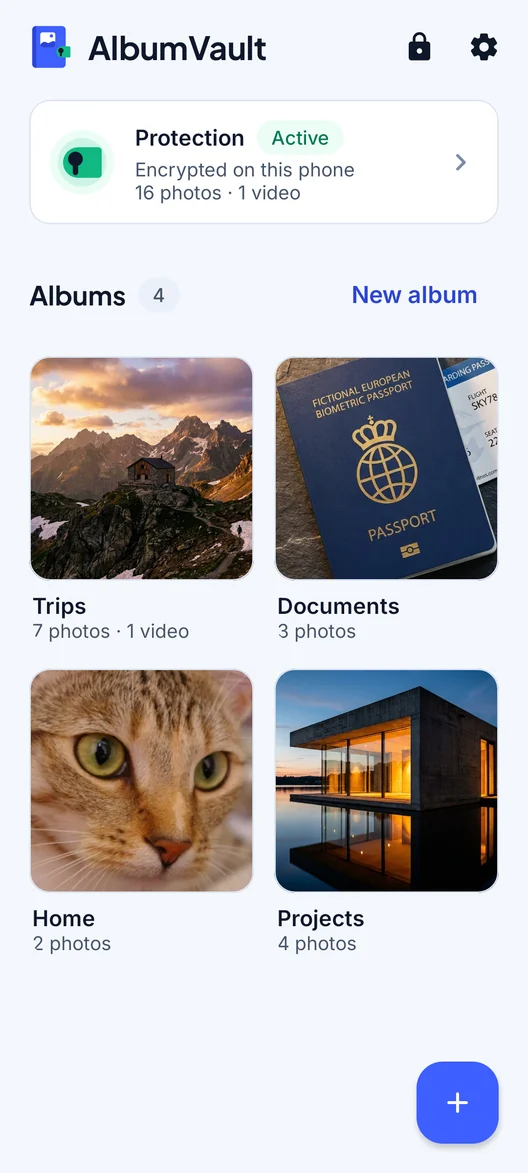
- Store them in an app that encrypts them on your phone with a key only you hold, before anything is backed up.
- Check how that app’s backups work: what the cloud provider can see, and what you need to restore them.
- Write down the recovery method and keep it somewhere safe. With end-to-end encryption, nobody else can reset it for you.
Questions
Is iCloud Photos end-to-end encrypted?
Only with Advanced Data Protection turned on. Under standard data protection, the default, your photos are encrypted but Apple keeps the keys in its data centers.
Can Apple see my iCloud photos?
Under standard data protection Apple holds the keys and says it can decrypt your data on your behalf, for example to restore a backup. With Advanced Data Protection, Apple says it doesn’t have the keys needed to recover your end-to-end encrypted data.
Are Shared Albums encrypted with Advanced Data Protection?
No. Apple says Shared Albums don’t support Advanced Data Protection and are not end-to-end encrypted even when it is on, because those albums can be published on the web.
Can I turn on Advanced Data Protection in the UK?
Not as a new user, according to Apple’s notice of 22 September 2025: UK users who had not already enabled it no longer have the option. Check Apple’s page for the current status.
What happens if I lose my password with Advanced Data Protection on?
Apple says it doesn’t have the encryption keys needed to help you recover your end-to-end encrypted data, so recovery depends on the options you set up yourself.
Sources
6
- Apple Support: iCloud data security overview
- Apple Support: How to turn on Advanced Data Protection for iCloud
- Apple Platform Security: Advanced Data Protection for iCloud
- Apple Support: Advanced Data Protection and UK users
- Apple Support: Hide photos and videos on iPhone, iPad or Mac
- iPhone User Guide: Delete or hide photos and videos
Keep reading
Do hidden photos go to iCloud?
Yes. With iCloud Photos on, a hidden photo syncs like any other and shows up in the Hidden album on your other devices.
GuideWhat is zero-knowledge encryption?
Your data is encrypted on your own device with a key the service never gets. It is strong, but nobody can reset your password for you.
GuideiPhone privacy settings that protect your photos
Start with three settings: limit each app’s photo access, stop the Camera recording your location and keep the Hidden album locked.