Private photos on a shared family iPad
Written for families who share one iPad between adults and children
Short answer
If a family iPad is signed in to your Apple Account with iCloud Photos on, your whole library is on it, hidden photos included. The Hidden album is locked only by the device’s own unlock, so anyone who knows the iPad’s passcode should be assumed able to open it. Keep personal photos off the shared iPad, or behind a lock with its own code.
On this page
A family iPad usually has one passcode that everyone knows, and one Apple Account: whoever set it up. That combination decides what the rest of the family can see. Apple documents most of the settings below in its iPhone User Guide. Its support articles describe the same Photos behavior for iPad, but check the labels on your own iPad, since they can differ slightly.
What a shared iPad can show from your account
If the iPad is signed in to your Apple Account and iCloud Photos is on, the iPad’s Photos app shows your library: the photos you took on your iPhone, and the ones you hid. Apple puts it plainly: “If you use iCloud Photos, the photos that you hide on one device are hidden on your other devices too.” Hidden is not the same as absent. Those photos sit in the iPad’s Hidden album.
Deleting works the same way across devices. Apple says that when you use iCloud Photos and delete a photo on one device, “it gets deleted on all other devices where you’re signed in with the same Apple Account.” A child tidying up the iPad can remove photos from your phone. They stay in Recently Deleted for 30 days, so they can be recovered in that time.
Messages adds a third route. Apple’s iPhone guide says photos shared with you in Messages “are automatically saved in your photo library.” If Messages on the iPad uses your account, photos people send you can show up there too. On iPhone the switch is Settings > Apps > Messages > Shared with You > Photos. Check the same place on the iPad.
The Hidden album is locked by the device, not by you
Since iPadOS 16.1 and iOS 16, the Hidden album is locked by default and needs authentication to open. On iPhone, Apple says the Hidden and Recently Deleted collections unlock “using Face ID, Touch ID, or your passcode.” Plan on the iPad accepting its passcode the same way. On a family iPad where everyone knows the code, that lock keeps out nobody.
Two settings are worth checking. Paths below are from Apple’s iPhone guide:
- Settings > Apps > Photos > Use Face ID (or Use Touch ID, Use Passcode). Apple notes that if you turn this off, the Hidden album is unlocked by default. Make sure it is on.
- Settings > Apps > Photos > Show Hidden Album. Apple says it is on and visible by default on iPhone and iPad. Turn it off and hidden photos “won’t be visible in the Photos app.” Anyone who can open Settings can turn it back on.
Hiding also says nothing about apps. Apple’s developer documentation gives apps an option to include hidden photos when they fetch from the library (“fetches include all assets regardless of their hidden state”). Apple does not document whether the Hidden album’s lock blocks that.
Locked apps, hidden apps and kids’ accounts
Since iOS 18 you can lock or hide apps. Apple’s iPhone guide describes how they work; check that your iPad version offers the same options.
- A locked app “requires Face ID, Touch ID, or your passcode to open it.” Apple says its content won’t appear in notification previews, search, Siri suggestions or call history; its Personal Safety guide words this more cautiously as “some locations.” The app locks again after you quit it.
- A hidden app disappears from the Home Screen, App Library and search, and moves to a Hidden folder in the App Library that requires authentication. Only apps downloaded from the App Store can be hidden. Apple says their names can still appear in Settings > Apps > Hidden Apps, Screen Time, Battery, and App Store purchase history.
- Lock status is per device. Apple says the locked or hidden status of an app “doesn’t sync with iCloud.” Locking an app on your iPhone does nothing on the iPad.
For children in Family Sharing, Apple sets age rules. Children under 13 can’t lock or hide apps. Teens aged 13 to 17 can, but a parent or guardian in the family group can see that the app was downloaded and how much it’s used, and can restrict it with Screen Time.
Which apps on the iPad can see the photo library
Games, drawing apps and video apps often ask for photo access. To review it, go to Settings > Privacy & Security > Photos. You’ll see each app that asked, and you can change its access.
Apple describes three levels for some apps: full access to all photos, access to only the photos you select, or the ability to only add photos. With limited access, Apple’s developer session tells app makers they “will only be able to fetch assets and resources related to what the user has chosen.” Photos the app saves itself are added to that selection automatically. Since iOS 17, the system also periodically reminds people when an app has full access to the library.
On a shared iPad with your library on it, an app a child installed with full access can read your photos, not only theirs.
What to change today
| Setting | What it does |
|---|---|
| Whose account and iCloud Photos (the iPad’s account settings) | Decides whether your library is on the iPad at all |
| Use Face ID / Use Passcode (Settings > Apps > Photos) | Keeps the Hidden and Recently Deleted albums locked |
| Show Hidden Album (Settings > Apps > Photos) | Removes the Hidden album from view in Photos |
| Shared with You > Photos (Settings > Apps > Messages) | Stops photos sent in Messages saving to the library |
| Photo access per app (Privacy & Security > Photos) | Limits what each app can read |
The single biggest change is the first row. If the shared iPad does not hold your personal library, none of the other gaps matter for those photos.
What a vault with its own key adds, and what it can’t do
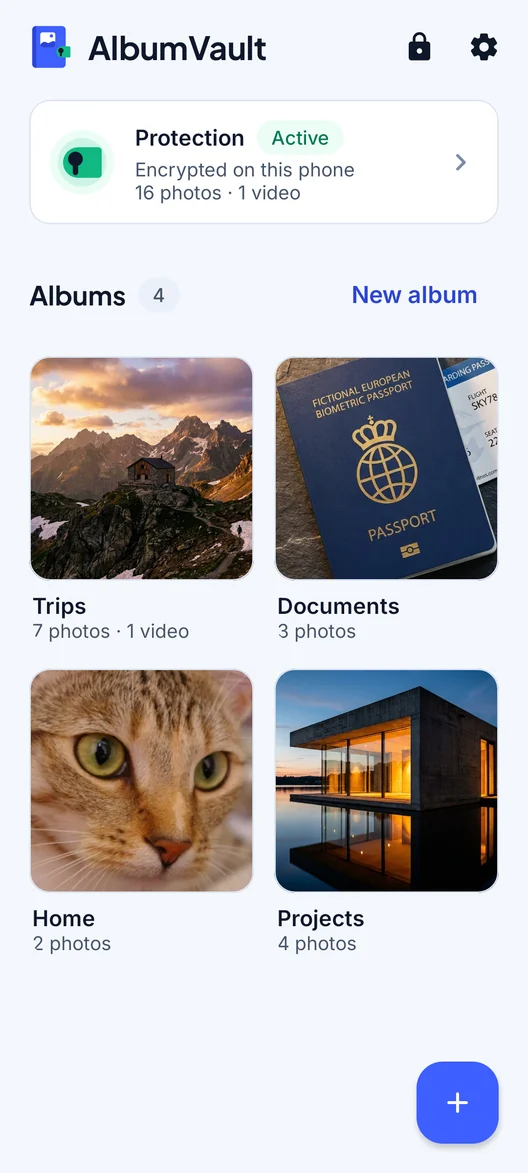
A vault app that encrypts photos with its own code, separate from the iPad’s passcode, closes the main gap on a family device: the passcode everyone knows does not open it. Photos moved into such a vault are no longer in the photo library, so they are not part of what iCloud Photos syncs to the iPad, and apps with photo access cannot fetch them.
Its limits are worth knowing before you rely on one:
- The app itself is visible. Even hidden, its name may appear in Settings, Screen Time, Battery and purchase history, as Apple lists above.
- An open vault is on screen. Close it before you hand the iPad over.
- A forgotten code can mean lost photos. If only you hold the key, the app’s maker cannot reset it. Set up its recovery method the day you start using it.
- It doesn’t fix the account setup. Whatever stays in the photo library still syncs to the iPad.
Checklist
- Decide whose Apple Account the shared iPad uses, and whether iCloud Photos needs to be on.
- In Settings > Apps > Photos, keep Use Face ID or Use Passcode on, and turn off Show Hidden Album.
- In Settings > Apps > Messages > Shared with You, turn off Photos if your Messages is on the iPad.
- In Settings > Privacy & Security > Photos, give kids’ apps selected photos or no access.
- Remember that deletes sync. Recently Deleted keeps items for 30 days.
- Keep photos that are only yours behind a code the family doesn’t know.
Questions
If I hide a photo on my iPhone, is it hidden on the family iPad too?
Yes, if both use your Apple Account with iCloud Photos. Apple says photos you hide on one device are hidden on your other devices too. The photo is still on the iPad, in its Hidden album, which is locked only by the iPad’s own unlock. On iPhone, Apple says that unlock includes the passcode, so assume the same on the iPad.
Can my kids delete photos from my iPhone using the iPad?
If both devices use the same Apple Account with iCloud Photos, Apple says a photo deleted on one device is deleted on all of them. Deleted items stay in Recently Deleted for 30 days, so you can recover them in that time.
Can my child hide apps from me?
Apple says children under 13 in a Family Sharing group can’t lock or hide apps. Teens aged 13 to 17 can, but a parent in the family group can still see that the app was downloaded and how much it is used, and can restrict it with Screen Time.
Does locking an app on my iPhone also lock it on the iPad?
No. Apple says an app’s locked or hidden status applies only to the device where you set it and doesn’t sync with iCloud. Lock it on each device separately.
Sources
12
- Apple Support: Hide photos and videos on iPhone, iPad and Mac
- iPhone User Guide: Delete or hide photos and videos
- Apple Support: Delete photos and videos (Recently Deleted)
- iPhone User Guide: Lock or hide an app
- Apple Personal Safety User Guide: Lock or hide apps on your iPhone
- Apple Newsroom: Apple extends its privacy leadership (June 2024)
- iPhone User Guide: Control access to information in apps
- Mac User Guide: Allow apps to use your photos
- Apple WWDC20: Handle the Limited Photos Library in your app
- Apple WWDC23: Embed the Photos Picker in your app
- Apple Developer: includeHiddenAssets
- iPhone User Guide: Share photos and videos
Keep reading
Handing your phone to someone without showing everything
Once your phone is unlocked in someone else’s hand, anything not locked on its own is open. Here is what to hide, lock or send instead.
SituationSomeone knows your passcode. Now what?
On an iPhone, the passcode opens the Hidden album and often locked apps too. Change it, and keep private photos behind a separate code.
GuideWhich apps can see your photos?
Any app you have allowed. Check the list in your privacy settings and give each app the least photo access it needs.